Getting Started: Sign Up & Complete Your Profile
Written By Ritesh Sharma
Last updated 3 months ago
Step 1: Create Your Account
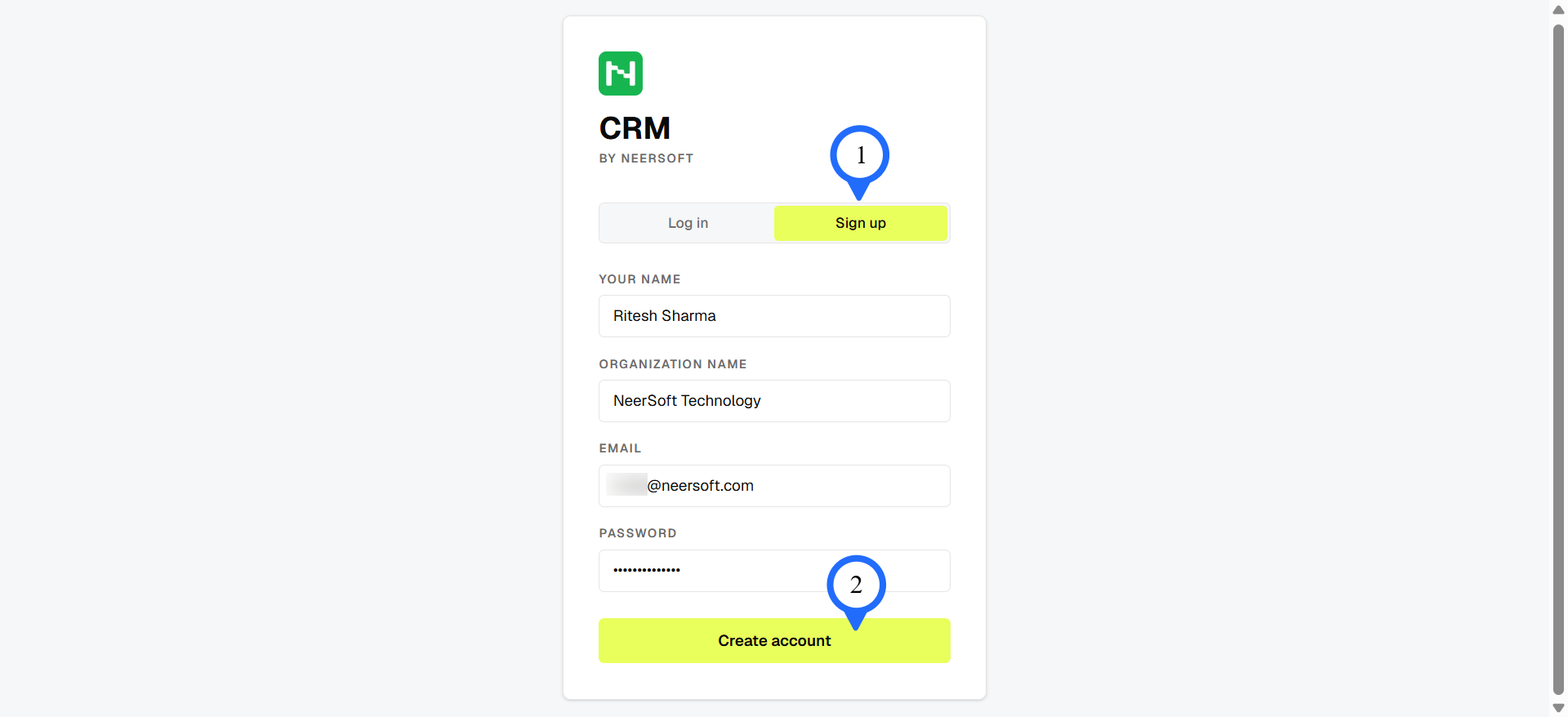
Go to the CRM by NeerSoft sign-up page.
Enter your name, email, and password.
Click Sign Up.
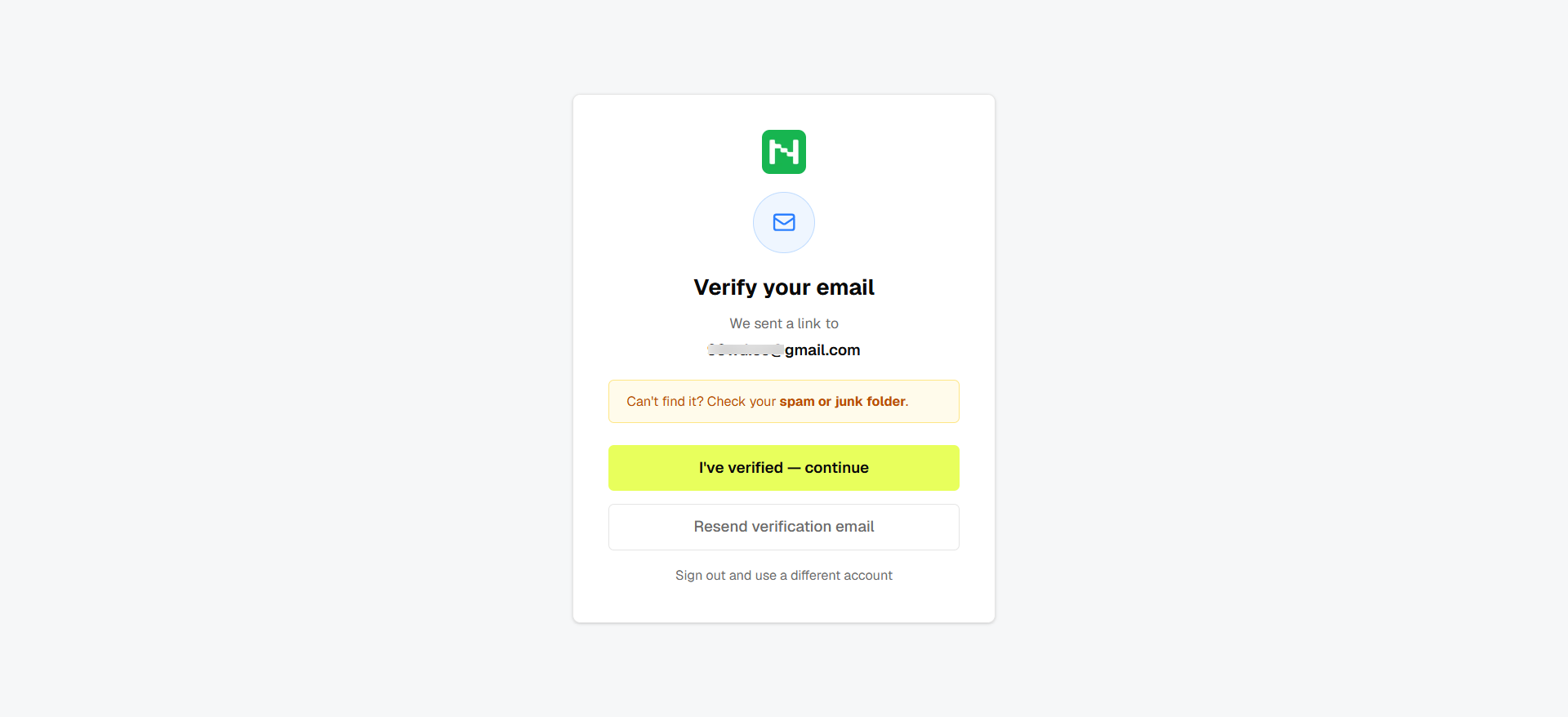
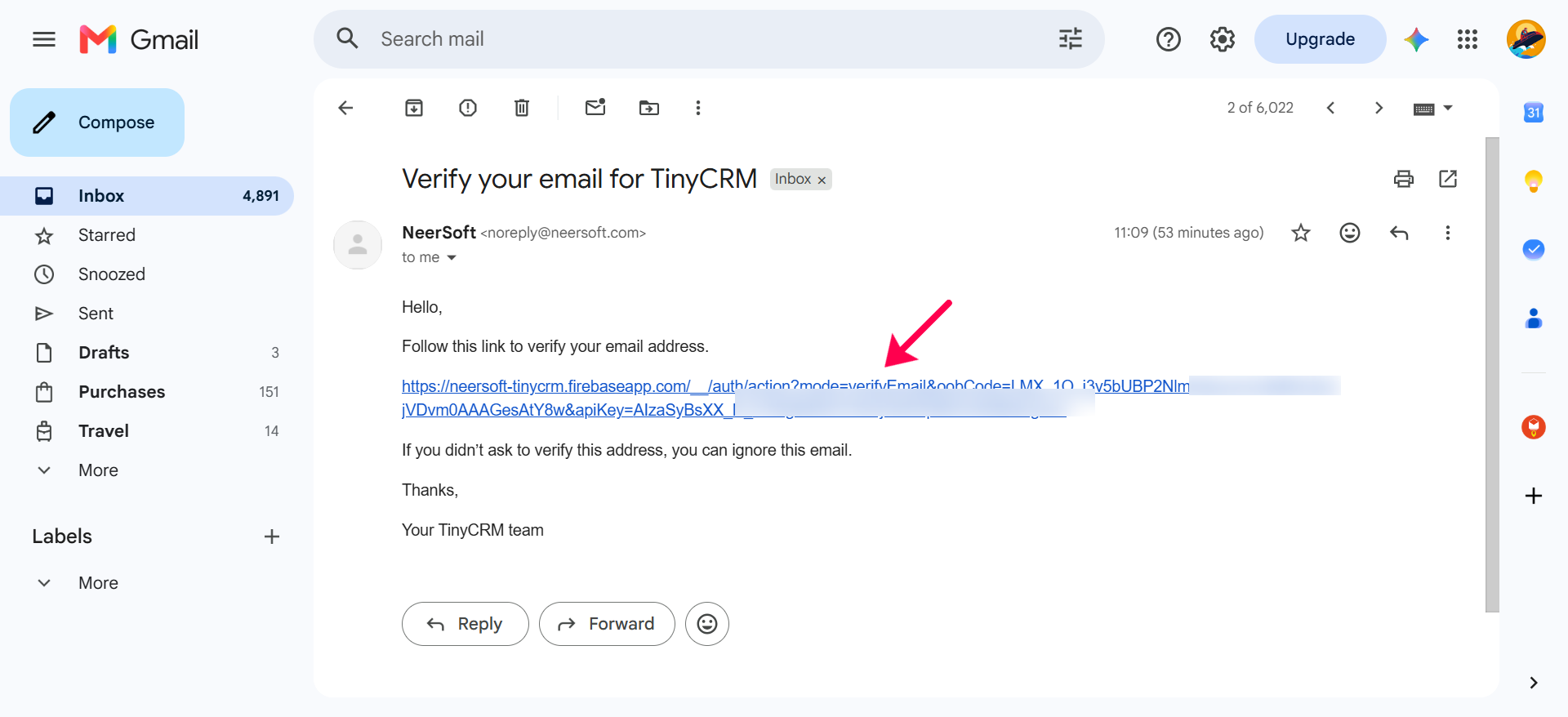
Please Note: After sign up process, it will ask to verify your email ID. Check your Inbox and click on link to verify the email.
Step 2: Log In
Open the login page.
Enter your email and password.
Click Log In.
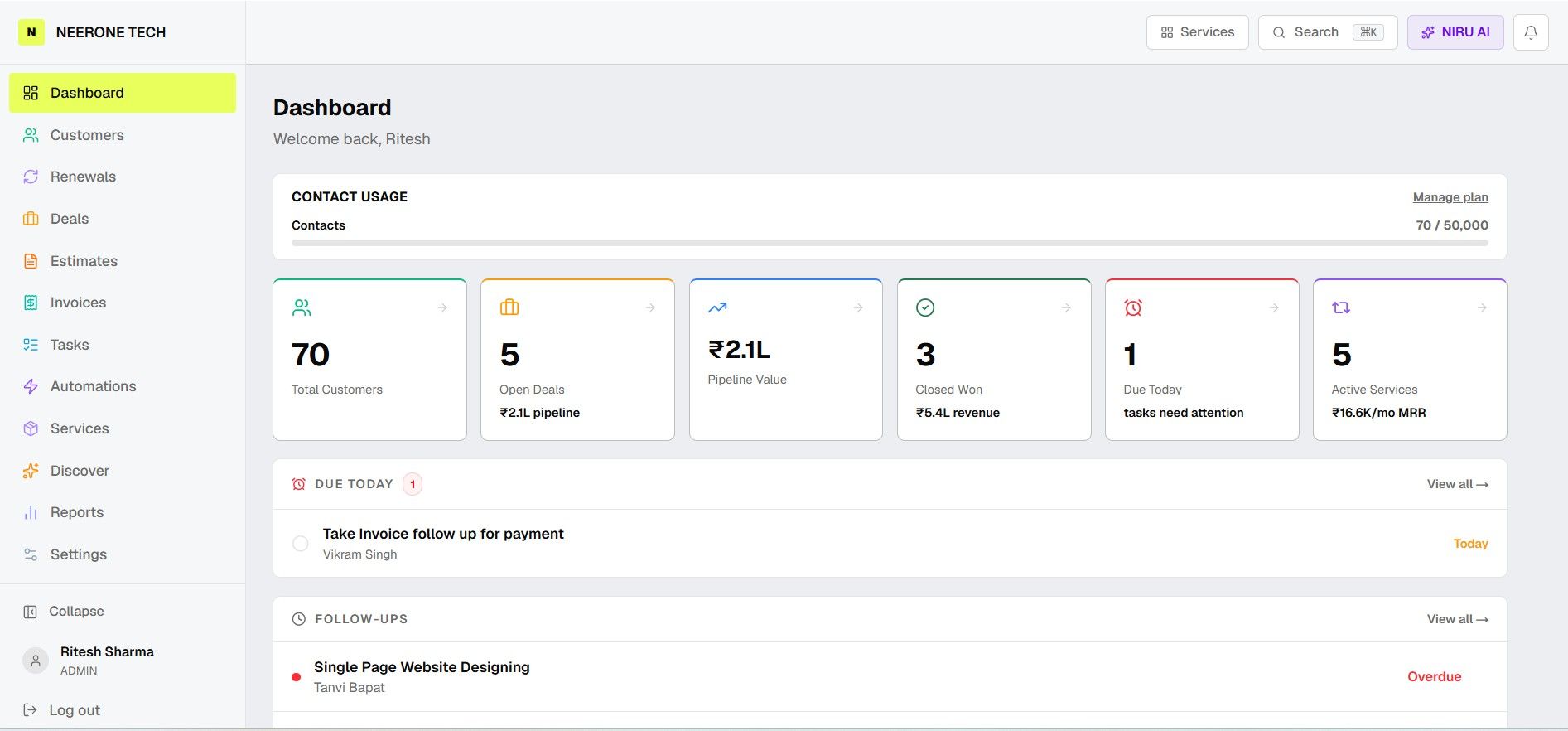
After login, you will see the Dashboard as below.
Step 3: Complete Your Profile
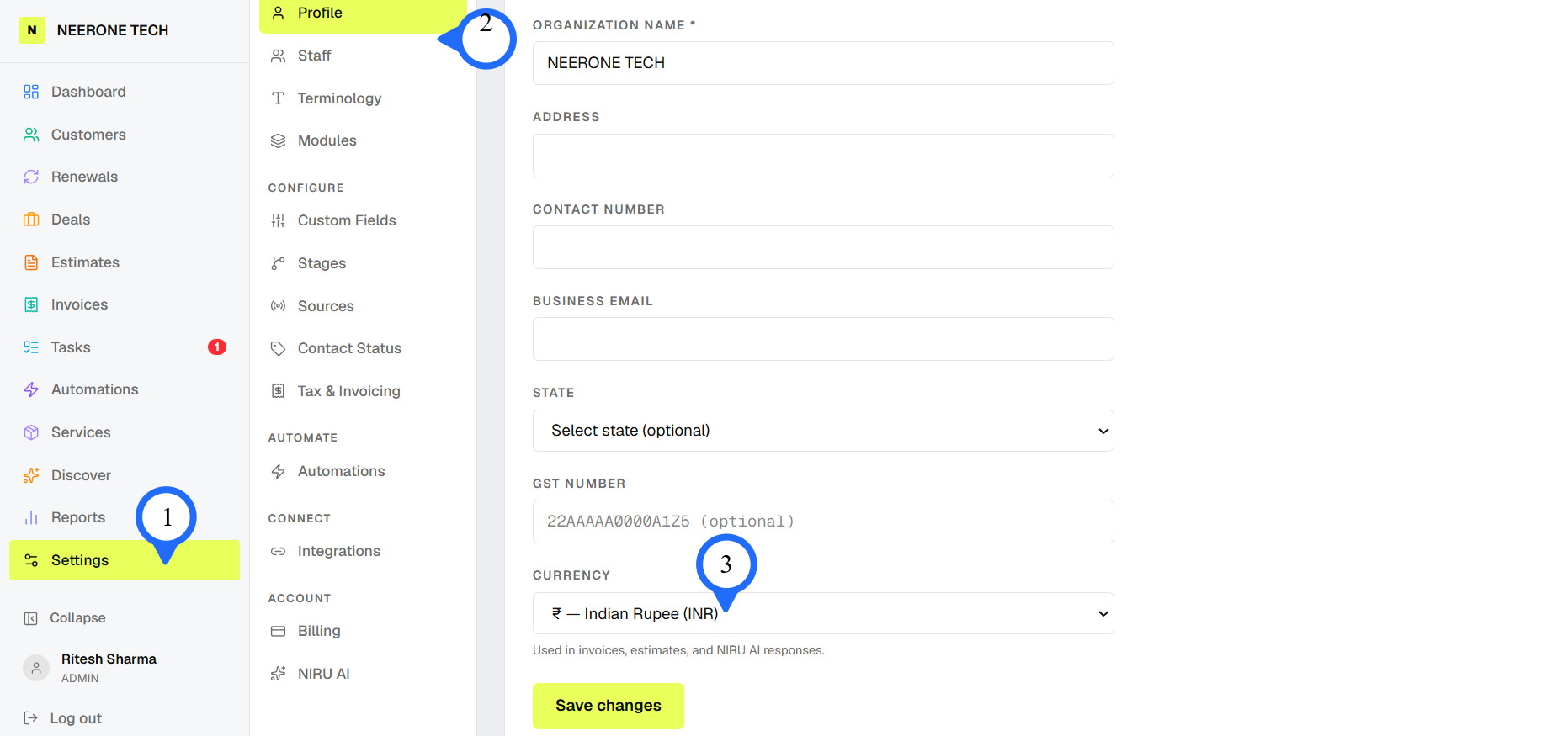
Go to Settings.
Add your business name and basic details.
Set up your workspace and save.
Choose Currency and click on Save Changes
Was this helpful?
Still need help? Ask the team